Main content
This is the main content. This is the main content. This is the main content.
Lab 2 - Cascading Style SheetsStyling with the STYLE attributeStyle attribute allows configuring look and feel right on the element. Although it's very convenient it is considered bad practice and you should avoid using the style attribute ID selectorsInstead of changing the look and feel of all the elements of the same name, e.g., P, we can refer to a specific element by its ID Here's another paragraph using a different ID and a different look and feel Class selectorsInstead of using IDs to refer to elements, you can use an element's CLASS attribute This heading has same style as paragraph aboveDocument structure selectorsSelectors can be combined to refer elements in particular places in the document This div's red background is referenced as .selector-2 .selector3 meaning the descendant of some ancestor. Whereas this span is a direct child of its parent You can combine these relationships to create specific styles depending on the document structure ColorsForeground colorThe text in this paragraph is red butthis text is green Background colorThis background of this paragraph is red butthe background of this text is green and the foreground white BordersSolid fat red border Dashed thin blue border PaddingPadded top left Padded bottom right Padded all around MarginsFat red border, yellow background, big padding above and left Fat blue border, yellow background, big padding at bottom Fat yellow border, blue background, big padding all around Fat red border, yellow background, margin at bottom Fat blue border, yellow background, centered (margins both sides) Fat yellow border, blue background, big margins all around Rounded cornersRounded corners on the top Rounded corners at the bottom Rounded corners all around Different rounded corners DimensionLandscape Portrait Square RelativePortrait Landscape Square Absolute positionPortrait Landscape Square Fixed positionCheckout the blue square that says "Fixed position" stuck all the way on the right and half way down the page. It doesn't scroll with the rest of the page. Its position is "Fixed".Fixed position Z indexPortrait Landscape Square Float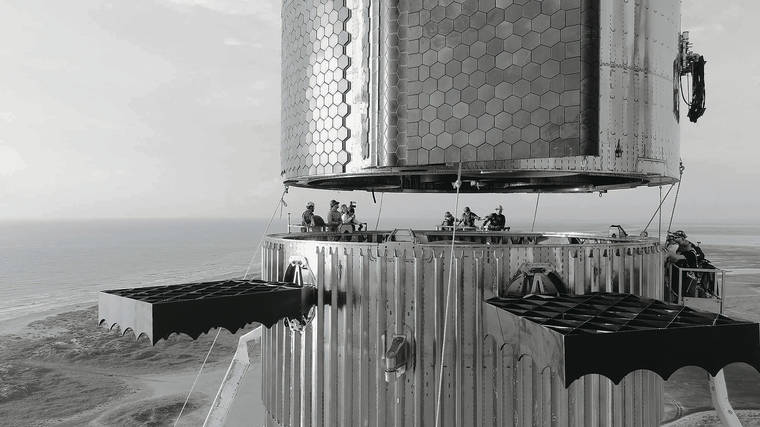 Lorem ipsum, dolor sit amet consectetur adipisicing elit. Eius hic laudantium repellat. Lorem ipsum, dolor sit amet consectetur adipisicing elit. Eius hic laudantium repellat. Lorem ipsum, dolor sit amet consectetur adipisicing elit. Eius hic laudantium repellat.Lorem ipsum, dolor sit amet consectetur adipisicing elit. Eius hic laudantium repellat. Lorem ipsum, dolor sit amet consectetur adipisicing elit. Eius hic laudantium repellat. Lorem ipsum, dolor sit amet consectetur adipisicing elit. Eius hic laudantium repellat.Lorem ipsum, dolor sit amet consectetur adipisicing elit. Eius hic laudantium repellat. Lorem ipsum, dolor sit amet consectetur adipisicing elit. Eius hic laudantium repellat.Lorem ipsum, dolor sit amet consectetur adipisicing elit. Eius hic laudantium repellat. Lorem ipsum, dolor sit amet consectetur adipisicing elit. Eius hic laudantium repellat. Lorem ipsum, dolor sit amet consectetur adipisicing elit. Eius hic laudantium repellat. Lorem ipsum, dolor sit amet consectetur adipisicing elit. Eius hic laudantium repellat. Lorem ipsum, dolor sit amet consectetur adipisicing elit. Eius hic laudantium repellat.Lorem ipsum, dolor sit amet consectetur adipisicing elit. Eius hic laudantium repellat. Lorem ipsum, dolor sit amet consectetur adipisicing elit. Eius hic laudantium repellat. Lorem ipsum, dolor sit amet consectetur adipisicing elit. Eius hic laudantium repellat.Lorem ipsum, dolor sit amet consectetur adipisicing elit. Eius hic laudantium repellat. Lorem ipsum, dolor sit amet consectetur adipisicing elit. Eius hic laudantium repellat.Lorem ipsum, dolor sit amet consectetur adipisicing elit. Eius hic laudantium repellat. Lorem ipsum, dolor sit amet consectetur adipisicing elit. Eius hic laudantium repellat.Horizontal layout with floatYellow Blue Red Grid layoutLeft halfRight halfLeft thirdRight two thirdsMain contentThis is the main content. This is the main content. This is the main content. FlexColumn 1 Column 2 Column 3 Media Query DemoThis demo uses CSS media queries to change colors based on screen width:
React Icons SamplerBootstrapGrid systemLeft halfRight halfOne thirdTwo thirdsSidebarMain contentSidebarResponsive grid systemColumn AColumn BColumn CColumn DResponsive grid system123456789101112Tables
Responsive tables
Favorite moviesAliens Terminator Blade Runner Lord of the Ring Star Wars FormsDropdownsSwitchesRangeAddons$0.00 $0.00 Responsive formsResponsive forms 2CardsStacking Starship Stacking the most powerful rocket in history. Mars or bust! XS - Extra Small (<576px) S - Small (≥576px) M - Medium (≥768px) L - Large (≥992px) XL - Extra Large (≥1200px) XXL - Extra Extra Large (≥1400px) | |||||||||||||||||||||||||||||||||||||||||||||||||||